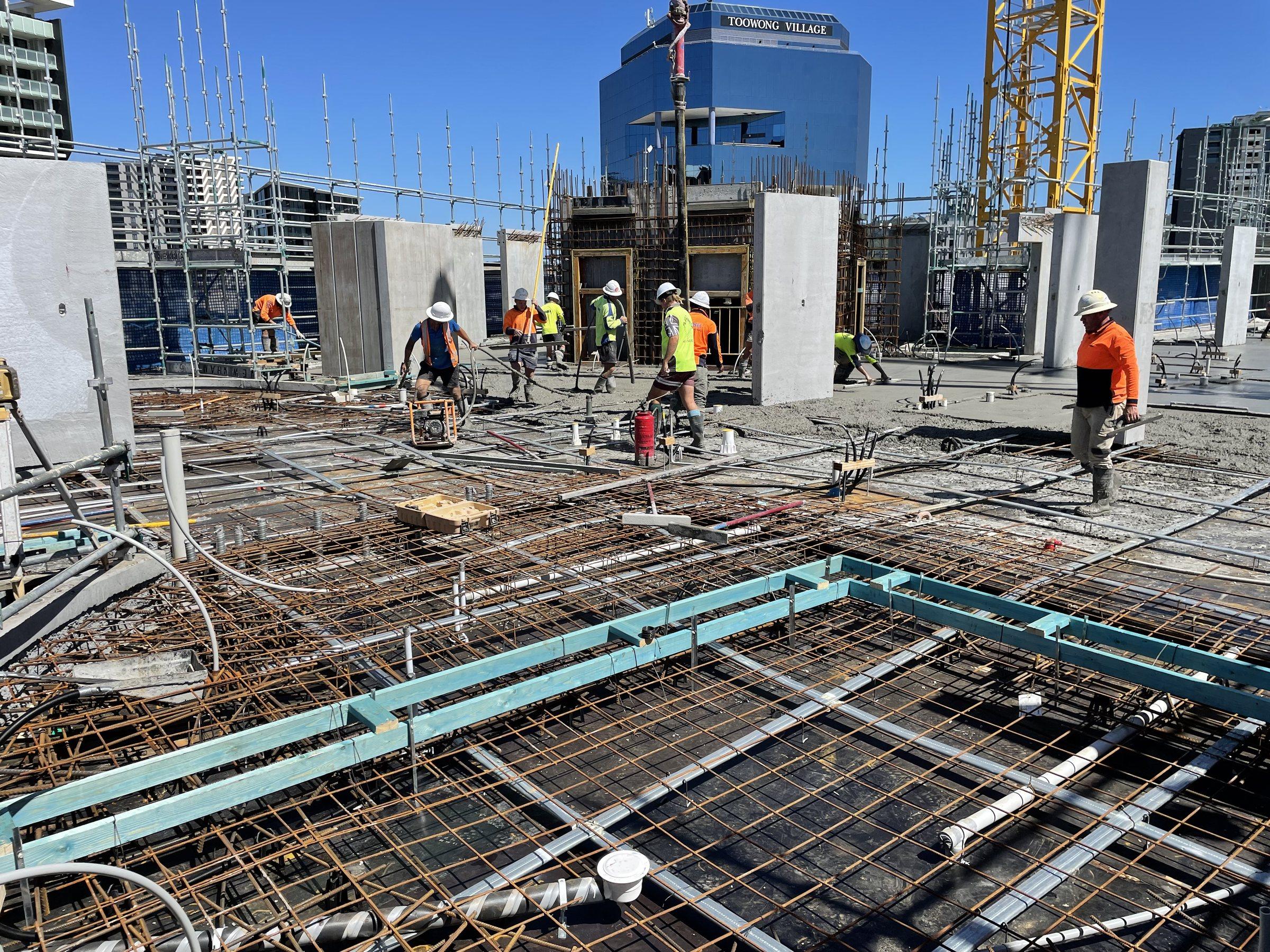
Understand what you’ve committed to upstream. Know what’s covered downstream.
Margins are won and lost in the contract.
Where the margin goes.

Don't leave money
between the lines.
Because you're busy building. DAIV reads the job against the contract and flags the trigger while there's still time to act. Your team makes the final call.
See how it speaks upHead and subcontract
finally talking.
Thirty subcontracts a job, each checked against the head contract. Back-to-back notices go to the right subbie before the time bar.
Head contract
Checked up against your client or developer.
Subcontracts
Every subcontract lined up with what you signed.
Back-to-back notices
To the right subbie before the time bar.
Every job's position
Understand your commercial obligations between all contracts at a glance.







Same structure,
suited for your business and your outcomes.
From contract review to the final claim, the same DAIV features as on the home page, read for builders.
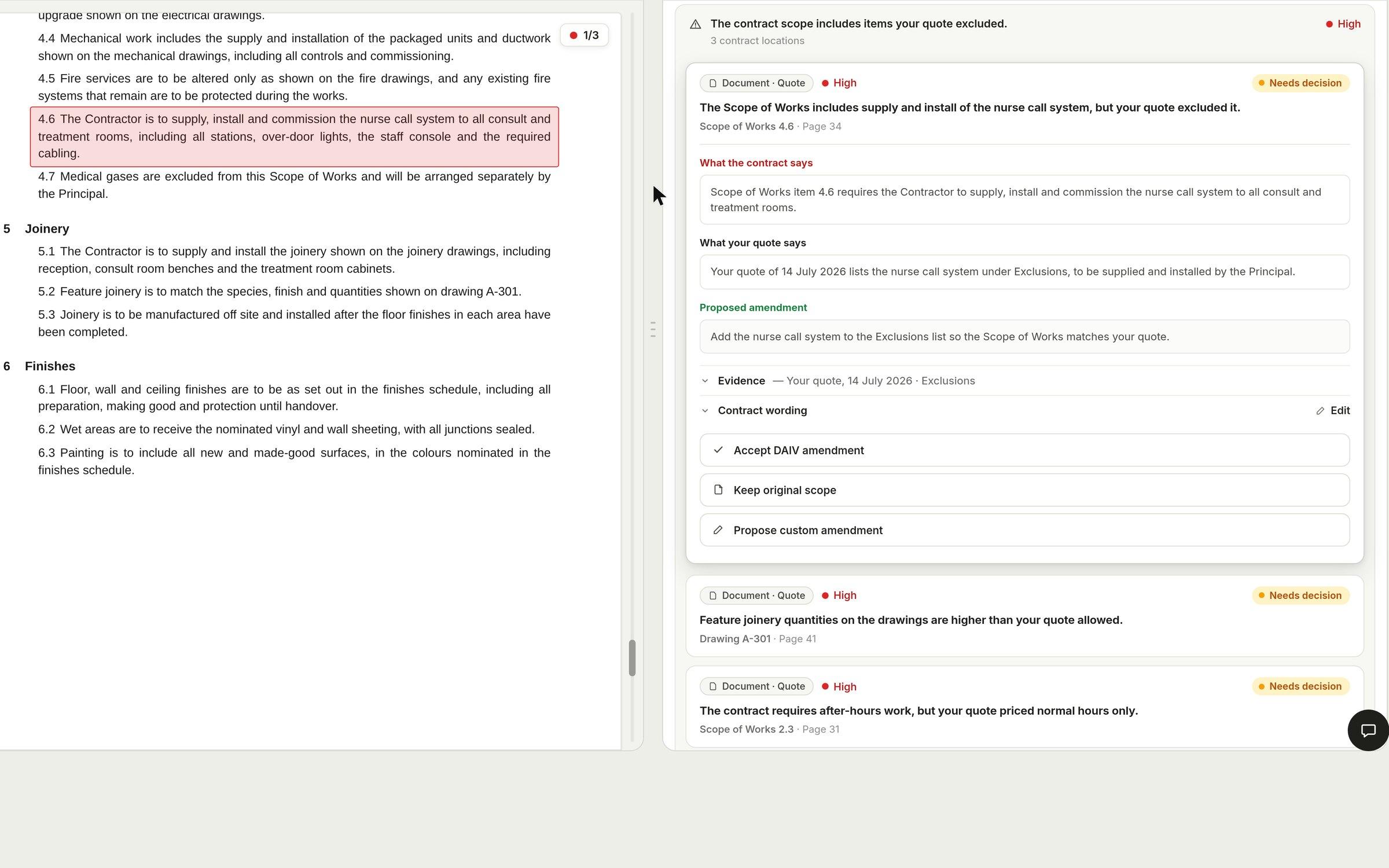
Know what you're signing.
Upload a contract. The risks come back, checked against your benchmarks, with a departures schedule ready to negotiate.
Before you sign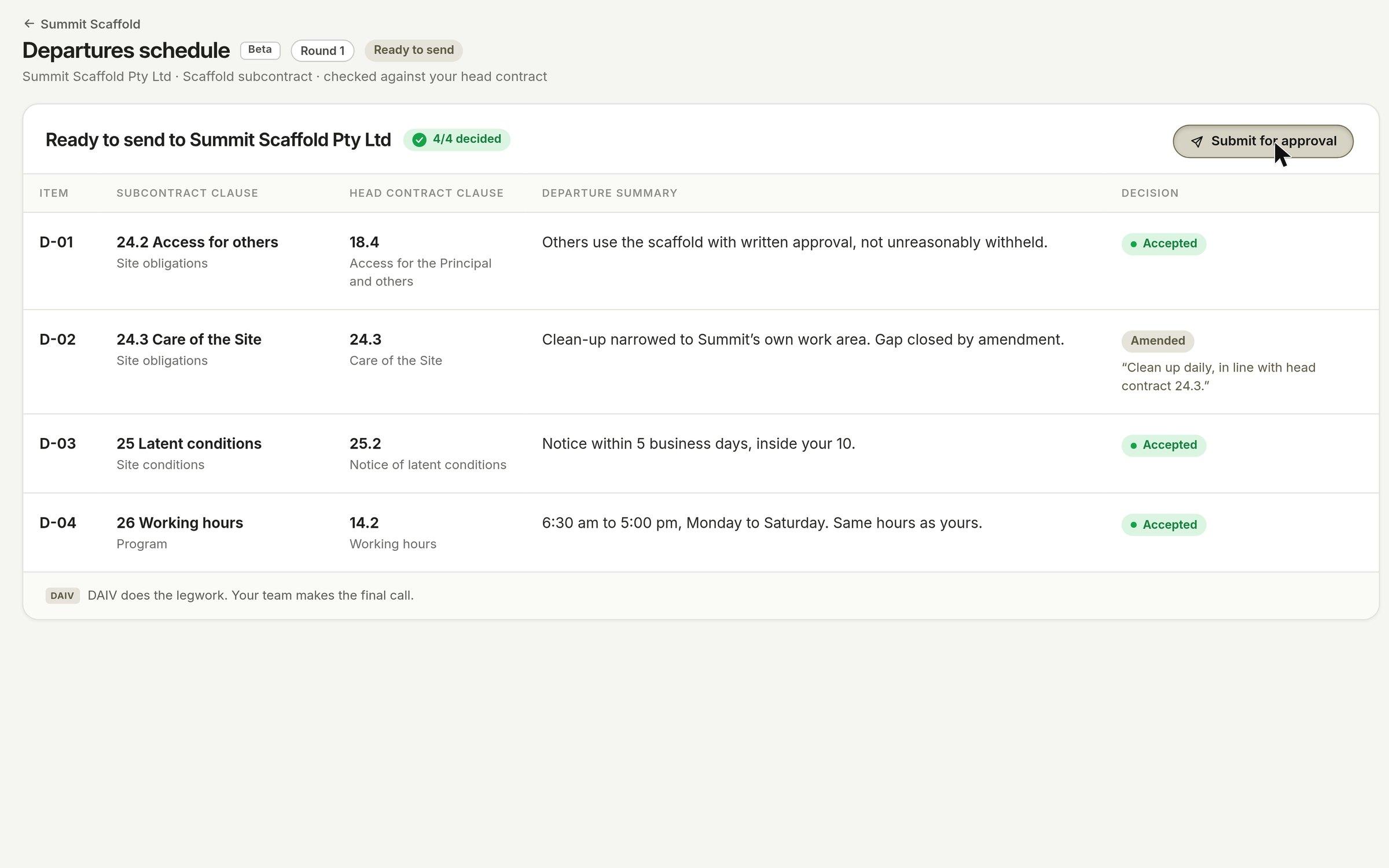
See the risk between head contract and subcontract.
Checked against your head contract, so the obligations you pass down line up with the ones you've signed up to. Ready to submit.
Before you sign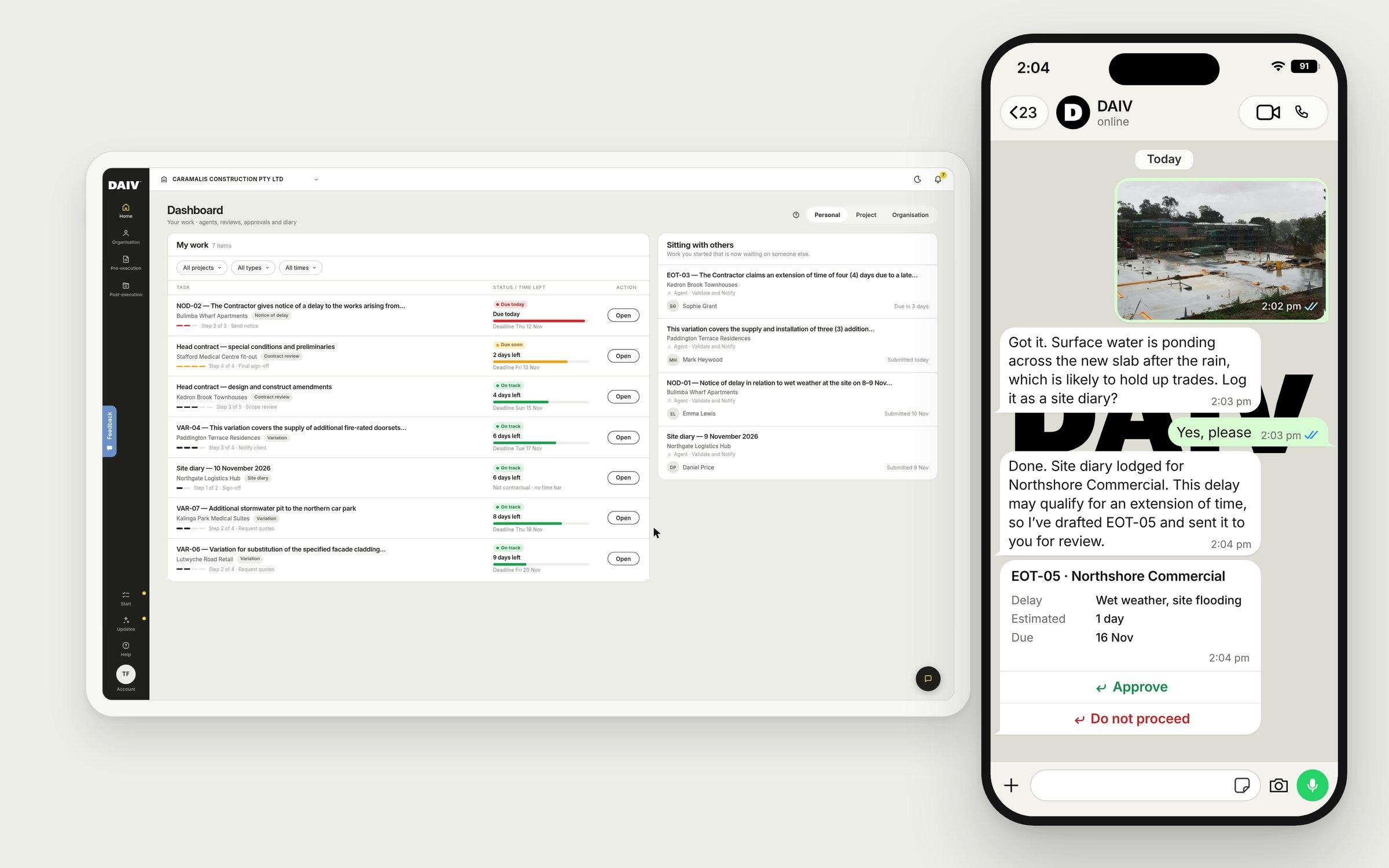
Ask for the scope in seconds.
Contracts are complex. With DAIV, finding the answers never is. Ask on WhatsApp and the clause comes straight back.
Once you're building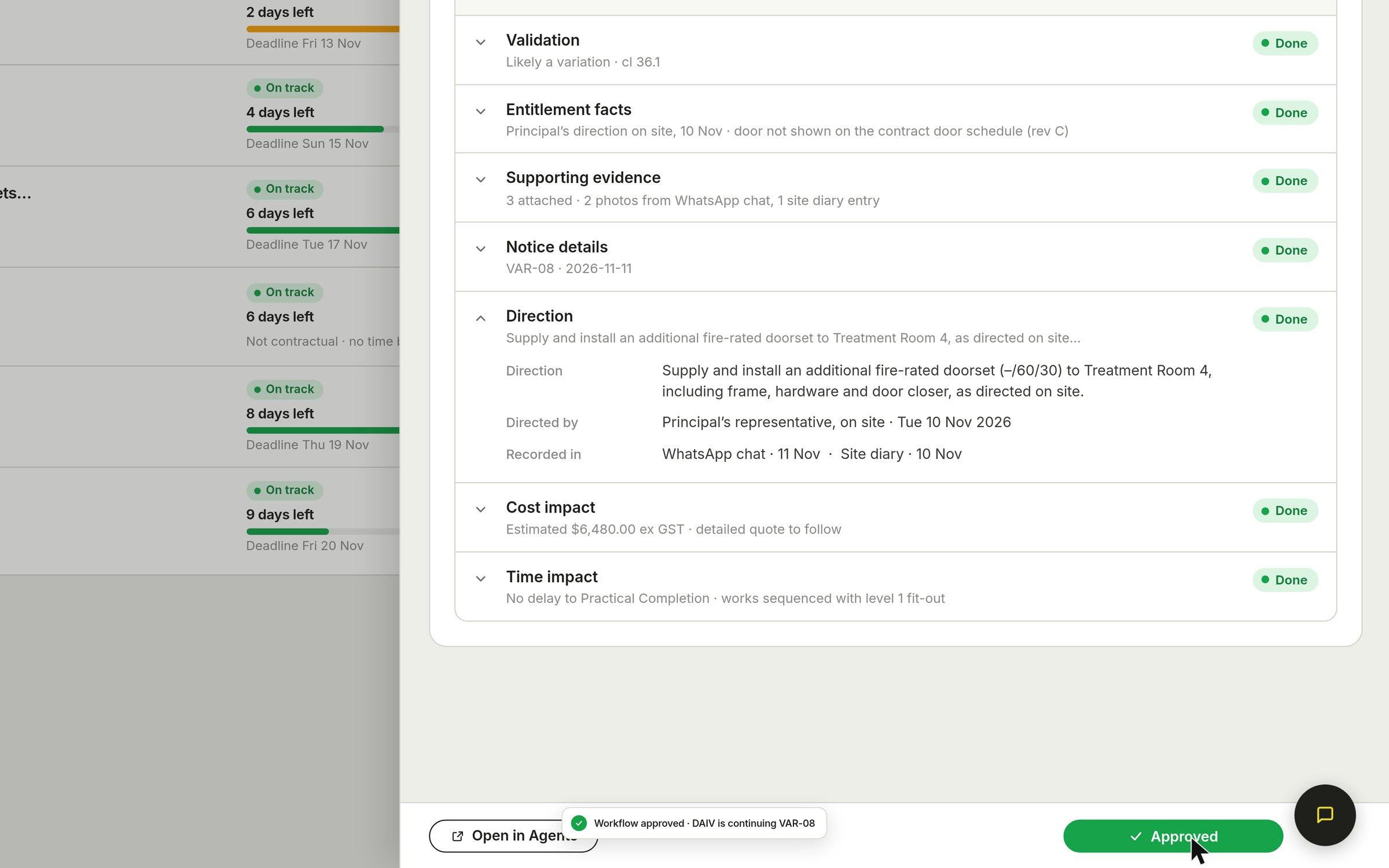
Flagged on site, notified without delay.
A request from site becomes a variation instantly, before the work begins. No request lost in a swamped inbox or unread site diary. Every obligation flagged, every time.
Once you're building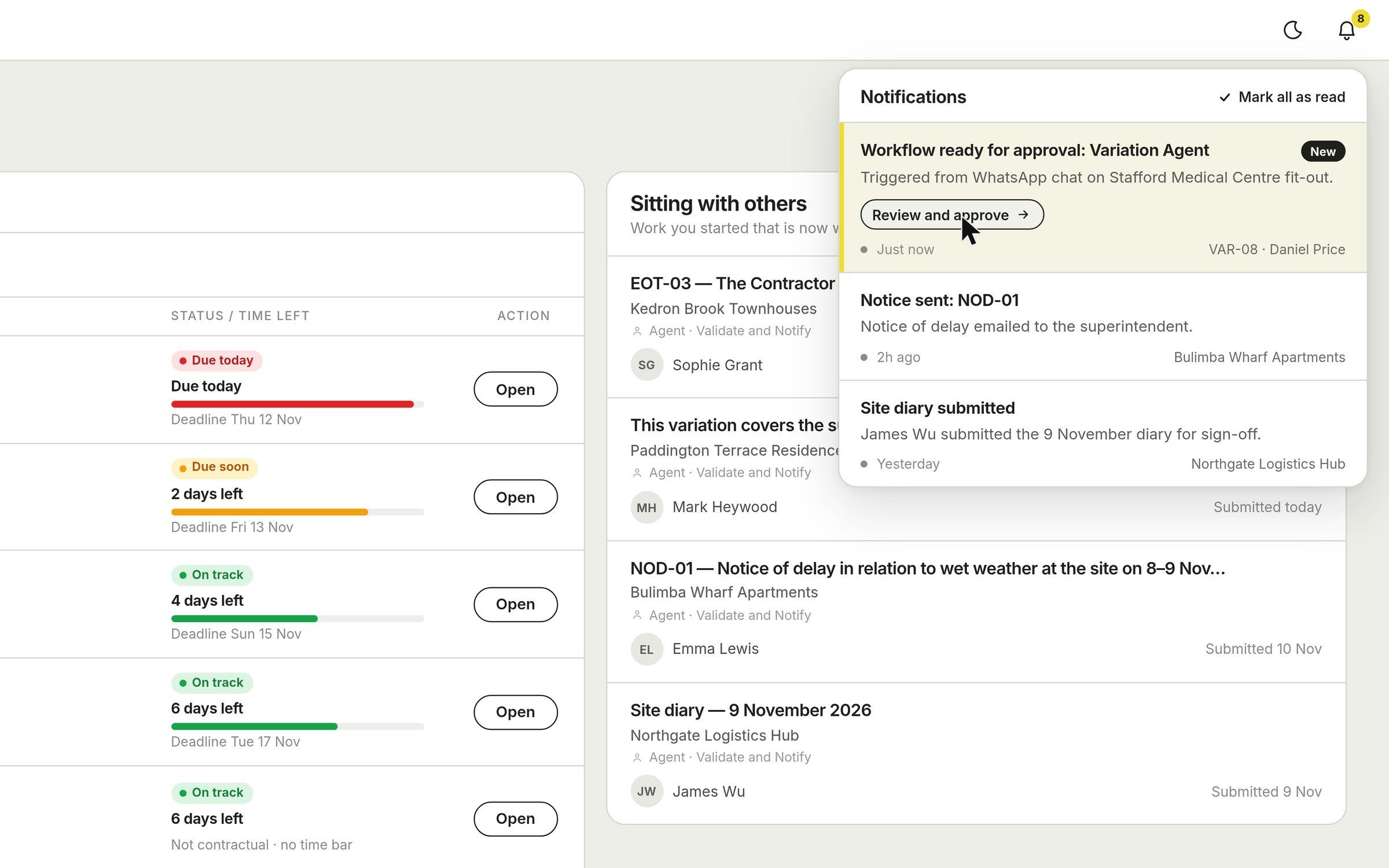
DAIV speaks up first.
Log a rainy day on site. DAIV sees the EOT, raises it and drafts the notice for your team to check.
Once you're building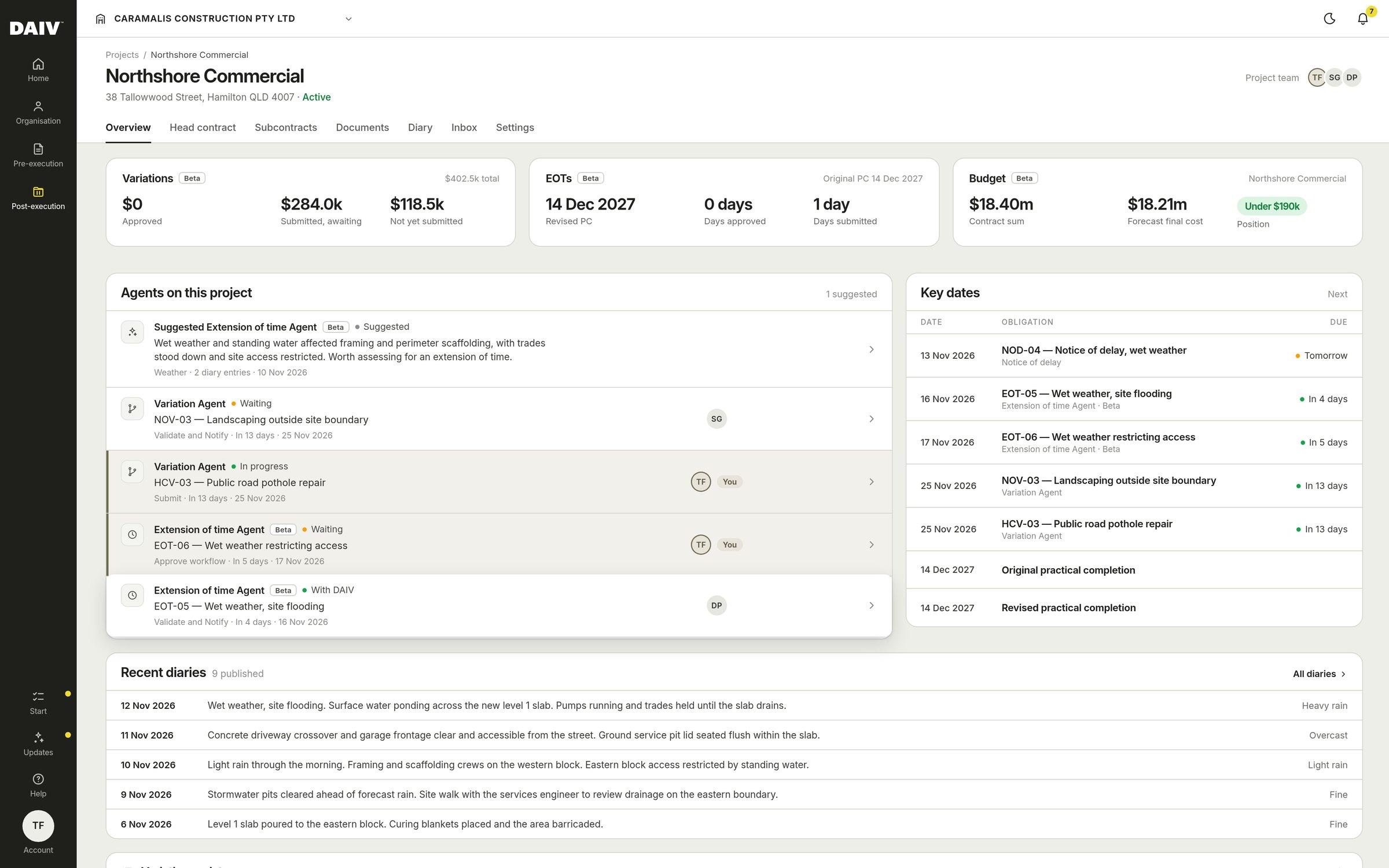
Every job's position, live.
Variations, EOTs and what's due across every live job, before the monthly meeting.
Registers and My Work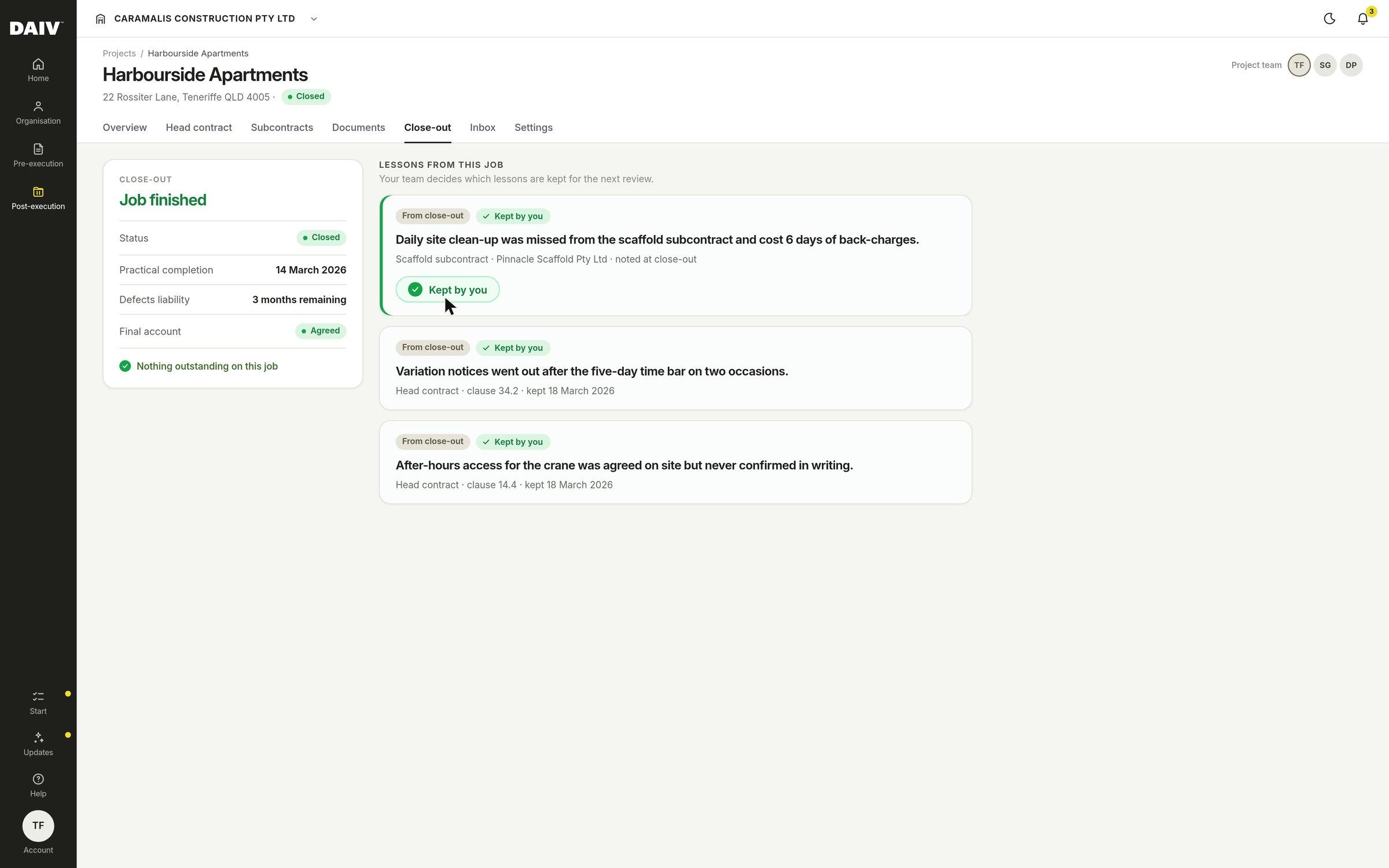
Your last job, in your next review.
What went wrong on the last job is flagged on the next contract. Your team won't remember the last 12 jobs. DAIV will.
Job to jobSee all features
Every part of the contract, every stage of the job, in one list.
See all featuresNot a more litigious industry. A better-informed one.
DAIV improves the flow of information between site, office, builder and subbie, so changes and errors are captured before a cost is incurred. Fewer surprises, fewer disputes, on both sides of the contract.
Pricing tailored to your company
and your needs.
Contract review
Unlimited scans
Upload a contract and get the risks and departures back. Onboarding runs itself, so you can start today.
Contract Administration
Quoted for your business, after the walkthrough.
A set monthly price per project. No seats, no usage bills.
Straight answers.
For your side.
What does a contract administrator do on a construction job?+
A contract administrator, or CA, makes sure the business gets what the contract says it is owed, and meets what the contract asks of it. Day to day, that means giving notices on time, tracking variations, lodging extensions of time, making claims, keeping registers current and checking subcontracts against the head contract. Many builders don't have a CA on every job, so the work lands on the project manager or the director. DAIV does the legwork, so whoever holds that seat stays across the contract.
How do builders keep track of notice deadlines across several jobs?+
Most run the job in a project tool, and keep notice deadlines in a spreadsheet beside it. That works until the number of jobs grows or the person who built the spreadsheet moves on. The harder part is that most notice deadlines aren't fixed dates. They start when something happens on site: a delay, a direction, a latent condition. DAIV works alongside the tools your team already uses, and comes at it from the contract. When an event on site starts the clock, the notice and the clause show up in My Work for every job, before the deadline passes.
Do small and mid-sized builders need a contract administrator?+
The work exists whether the role does or not. Every contract still needs notices given, variations tracked, extensions of time lodged and claims made on time. At smaller builders it lands on the project manager or the director, on top of running the job, and it's often the first thing to slip. Hiring a CA for every job usually isn't realistic. DAIV gives every job contract administration support, so whoever holds the seat has the legwork done and can make the call.
See DAIV on your own contract.
Send us one contract. We run DAIV on it with you in the walkthrough, and you ask the hard questions.